Website builder
Your site’s forms feed this pipeline automatically, included on every plan.
Customers & CRM
Every customer, job site, and visit in one place. Nothing scattered. Track prospects from first call to converted customer, and answer any customer question from one profile instead of three tools.
One profile, whole story
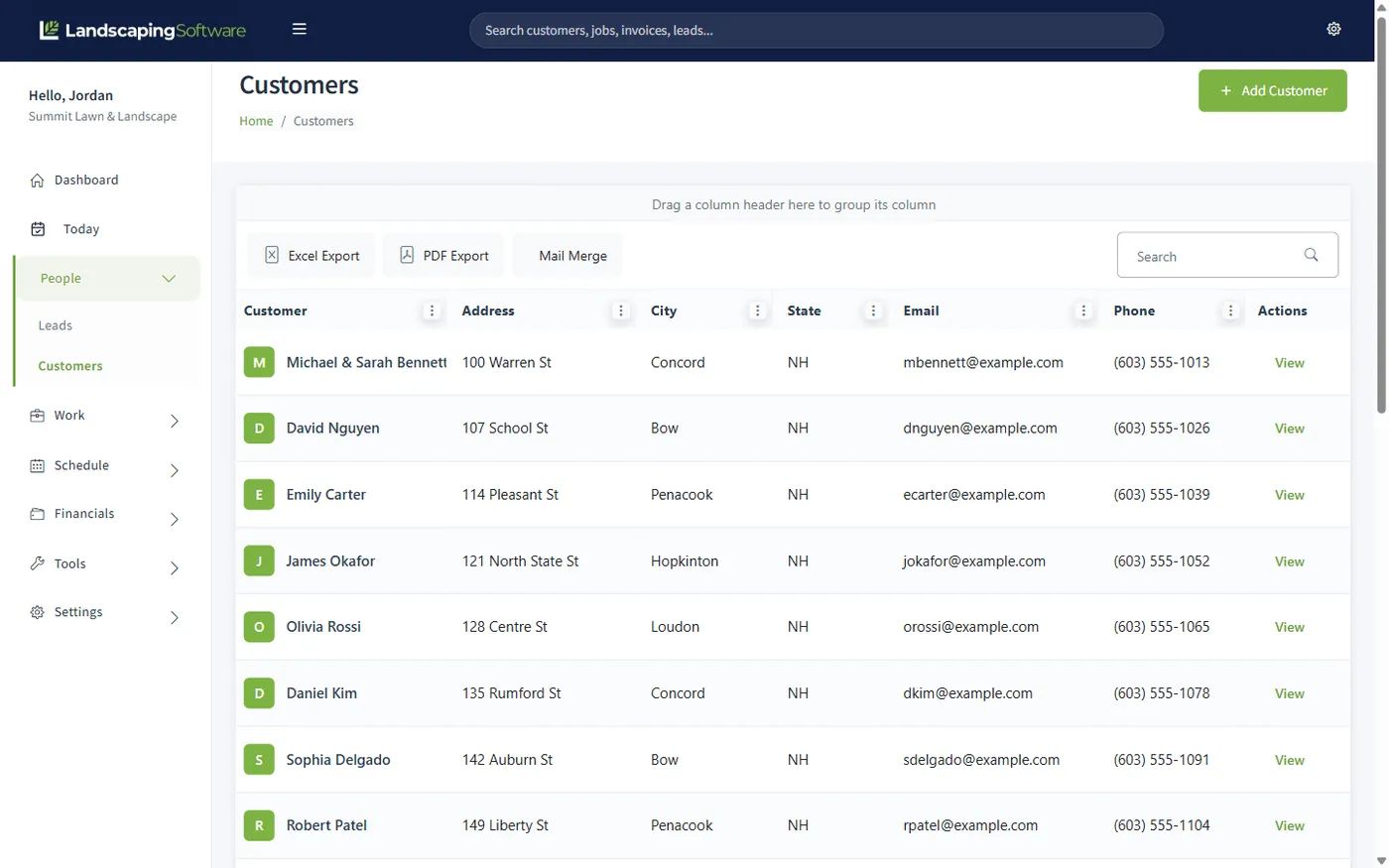
"What did we do at the Hendersons’ last year, and did they pay?" should take one click, not an archaeology dig. The customer summary is the hub: all of a customer’s jobs, visits, invoices, payments, contacts, and notes on one page.
The customer list itself is searchable and filterable across the whole book, with Excel, PDF, and CSV export when your accountant asks. Multiple contacts and multiple service addresses per customer are first-class, because real customers have a spouse, a property manager, and a second property.
Leads & estimates
Every prospect gets a pipeline card: status, source, notes, and estimates. Statuses run New → Contacted → Estimate Sent → Won or Lost, color-coded so the morning scan takes seconds. Estimates carry line items and totals, so the quote already contains the job.
When they say yes, one click converts the lead into a customer: name, contact info, and estimates carried over. One more click converts the accepted estimate into a job. The quote becomes the work without anyone re-keying it.
First contact logged: website form, call, or referral
You’ve reached out; property details in notes
Quote out the door, estimates tab tracks it
Converted to a customer in one click
Stay in front of customers
Filter the list to exactly who you mean (every customer on one street, every lead who went quiet after an estimate) and run a personalized merge over it, up to 5,000 records at a time. Design email templates in a visual builder and send campaigns to your customer list, from the same system that holds the records.
You write the letters right in the app: the template editor is a full word processor with merge fields one click away, no Microsoft Word required. Already have a letter as a .docx? Upload it and it opens in the same editor, ready to personalize.
Because your website builder, portal, and CRM share one database, the spring-letter list is never out of date and a form fill never dies in an inbox.
Works together
Your site’s forms feed this pipeline automatically, included on every plan.
The estimate becomes the job, the job becomes the invoice: no re-keying.
Customers view invoices, approve estimates, and pay online under your brand.
Turn won customers into a book that renews itself year over year.
Questions
Yes. Every customer record holds multiple contacts, multiple service addresses (job sites), and internal notes. Jobs are tied to a specific job site, so "the Hendersons’ lake house" and "the Hendersons’ home" each get their own work history.
Leads move through five statuses (New, Contacted, Estimate Sent, Won, Lost) with color-coded badges so you can scan the pipeline at a glance. Each lead carries its source (referral, website, Google Ads, yard sign, phone call, and more), notes, and its own estimates tab.
Click Convert to Customer and the system creates the customer record from the lead’s details, marks the lead Won, and carries its estimates over. No re-typing a name and address you already have. From there, an accepted estimate converts to a job in one click too.
If you publish a site with the built-in website builder, every contact and quote-request form submission creates a lead in your pipeline automatically, with "Website" as the source. No inbox-to-spreadsheet copying.
Mail merge runs a personalized letter or email merge over the currently filtered list: for example, every customer in one neighborhood, or every lead marked Estimate Sent. It handles up to 5,000 records in a run, and it’s included on every plan, along with email campaigns.
No. Templates are written in a built-in document editor (a full word processor inside the app) with every merge field one click away: pick «CustomerName» or «Address1» from the panel and it drops in at your cursor. Already have a letter as a .docx? Upload it and it opens in the same editor, ready for merge fields.
Yes. The customers and leads grids support search, filtering, sorting, and export to Excel, PDF, or CSV from the toolbar.
No. We don’t offer two-way customer SMS today, and we’d rather tell you that plainly than imply otherwise. What’s live: the full lead pipeline, one-click conversion, mail merge, email campaigns, and website lead capture.
14-day free trial · No credit card required