Scheduling & routing
Calendar, route planner, optimizer, memorized templates, rain shift.
Landscaping
Full-service means Tuesday is mowing routes, Wednesday is a patio install, and the same customer might be buying both. This runs the whole book: recurring maintenance, enhancement projects, programs, and the billing that's different for each, without splitting your company across two tools.
The full-service problem
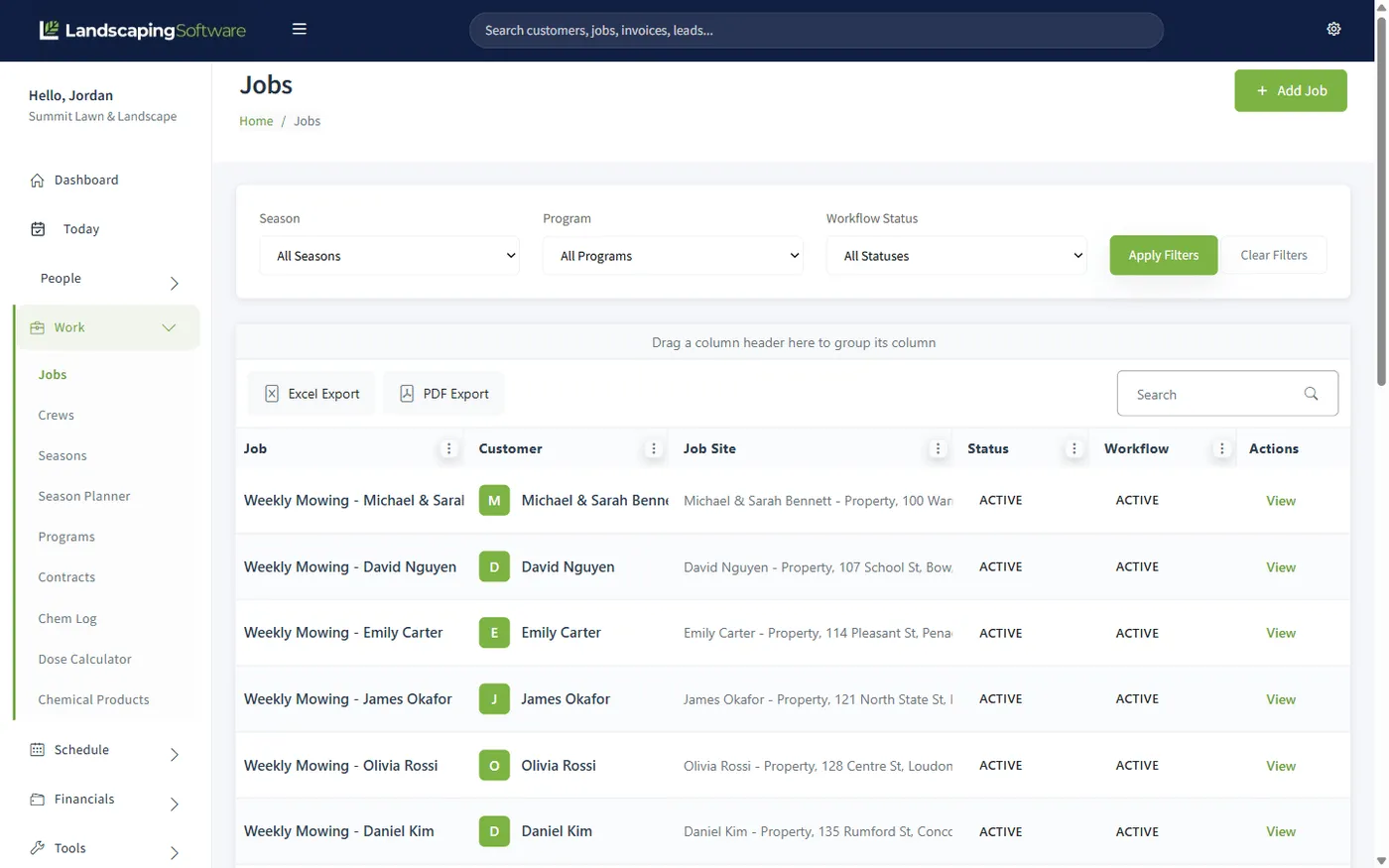
Recurring maintenance and enhancement work are different shapes of business: one is routes, repetition, and monthly invoices; the other is estimates, signatures, deposits, and a crew parked at one property for a week. Most software picks a shape. Here, each job on a customer carries its own schedule and its own billing mode, so the mowing route, the fert program, and the patio install live on the same record without fighting each other.
Weekly mowing, a treatment program, and an enhancement project are three jobs on one customer, each scheduled and billed its own way.
Route days and project crews share the same calendar, dispatch board, and crew app, so nothing double-books.
Per-visit, monthly fixed, or custom invoices all land in the same list, paid through the same portal.
The maintenance side
Weekly work should take weekly effort, not weekly planning. The route planner orders a crew’s stops by drive distance, you adjust with local knowledge, and then memorize the loop as a template. Every week after is load, apply, save. A capacity check flags the overbooked day before it happens, and when rain wipes out Tuesday, a preview-then-commit shift moves the crew’s schedule instead of you dragging visits one at a time.
Billing follows the job, not the other way around: Per Visit jobs can invoice themselves the moment a visit completes, Monthly Fixed jobs bill on the first of the month, and batch billing sweeps up everything billable in one pass, skipping anything already invoiced.
The project side
Enhancement work starts in the lead pipeline and moves through an estimate the customer can actually respond to: line items marked Required, Recommended, or Optional, e-signed online in your portal, with a deposit collected at acceptance if you want one. The signed snapshot records exactly what they chose, the job is built from only the lines they accepted, and the deposit applies to the final invoice with one click.
Keeping the book
Steady maintenance customers go on standing contracts. A nightly process flags each one as its term end approaches, prepares the renewal proposal, and rolls the term forward with the agreed annual price uplift once the opt-out window passes. Everyone else shows up in Renewal Reminders, where the wizard copies jobs and programs into next year’s season with a price bump applied in one pass. The book you built this year starts next year intact.
Built for full-service work
Calendar, route planner, optimizer, memorized templates, rain shift.
Leads, estimates, job sites, notes, and history on one record.
Per-visit, monthly, or manual billing, batch or automatic.
Proposals e-signed and invoices paid online, under your brand.
Stops, statuses, and photos from the truck, on every plan.
Standing agreements that roll forward with the price uplift.
Where you specialize
Full-service is the umbrella: these are the specialties underneath it, each with its own page on how the software fits.
Questions
Yes, because the data model matches how you sell: one customer can hold several jobs (weekly mowing, a fertilization program, a patio enhancement), each scheduled and billed its own way. The maintenance jobs run on routes and recurring visits; the project jobs run through estimates, e-signed proposals, and deposits. One record, one history, one invoice trail.
Each job picks its own billing mode: Per Visit (invoice each completed visit automatically, if you opt the job in), Monthly Fixed (one invoice per month), or Seasonal Prepay/Manual for anything custom. Batch billing generates the month’s invoices in one pass and skips anything already invoiced, and one-off invoices are always available for the odd job.
Load a crew’s day, drag the stops into order or let the optimizer order them by drive distance, then memorize the result as a template. Next week is load, apply, save. A capacity check warns when the day is overbooked, and a rain-shift tool moves a crew’s whole schedule by a day or two in one preview-then-commit step.
Yes, a white-labeled portal where they e-sign proposals (choosing options and paying a deposit if you ask for one), view invoices, and pay by card or bank. It runs on your own Stripe account with no platform fee, and it’s included on every plan.
Steady customers go on contracts with an annual price uplift. A nightly process flags contracts approaching term end, prepares the renewal proposal, and rolls the term forward automatically after the opt-out window. Everyone else renews through the Renewal Wizard, which copies jobs and programs into next year’s season with a 0–50% price bump applied in one pass.
Starter ($99/month) covers scheduling and routing, CRM, estimates, invoicing, the customer portal, the crew app, and the website builder. Programs and rounds, seasons, contracts, renewals, and chemical tracking start on Pro at $229/month, the tier most full-service companies land on. Pricing is published; no sales call required.
14-day free trial · No credit card required