Invoicing & payments
The invoices the portal collects, generated per visit, per round, or monthly.
Customer portal
Get paid faster, from a portal with your name on it, not ours. Customers sign in, see their invoices, and pay by card or bank. Fully white-labeled, no platform fee, about five minutes to set up. Included on every plan.
The problem
You finished the work. Now you’re keying in card numbers over the phone, mailing paper invoices, and fielding calls asking what someone owes. Payments come in late because paying you is harder than it should be, and every day an invoice sits unpaid is a day your money is in someone else’s account.
Your brand, top to bottom
The portal is a site you link from your existing website: your logo, your favicon, your colors on every surface, no "powered by" anywhere. Out of the box it renders neutral; branded, it’s indistinguishable from something you had built.
Getting in is simple: you send an invite with a temporary password, the customer sets their own on first sign-in, and after that it’s a normal email-and-password login with a self-serve reset. No app to install, works in any browser, and nobody has to call you to get back into their account.
And what they can’t: upload files or edit records. The portal is view-and-pay, on purpose.
No platform fee
You connect your own Stripe account and pay only Stripe’s standard rate. We take no platform fee and never hold your funds. Payouts, refunds, and disputes all happen in your Stripe dashboard, under your control.
Prefer to net the full invoice? Turn on fee passthrough and the processing cost is added at checkout, configured separately for card and ACH, with a live preview and disclosure text the customer sees before paying. Online payments land in your Sales list automatically, badged "Online," with nothing for the office to key in.
Settings → Portal → Enable. A guided tour walks you through the rest.
Stripe’s own onboarding walks you through it.
Upload your logo, pick your color, and watch a live preview update as you type.
They get a temporary password by email, set their own on first sign-in, and pay their first invoice online.
Built cautious on purpose
We never hold your money or take a cut.
Everything they see is something you flagged for them, and you can revoke visibility any time without deleting the file.
Turn the portal on or off for any individual customer. Flip it off and they’re signed out at their next request.
A clean record of who approved what, when.
Honest about v1
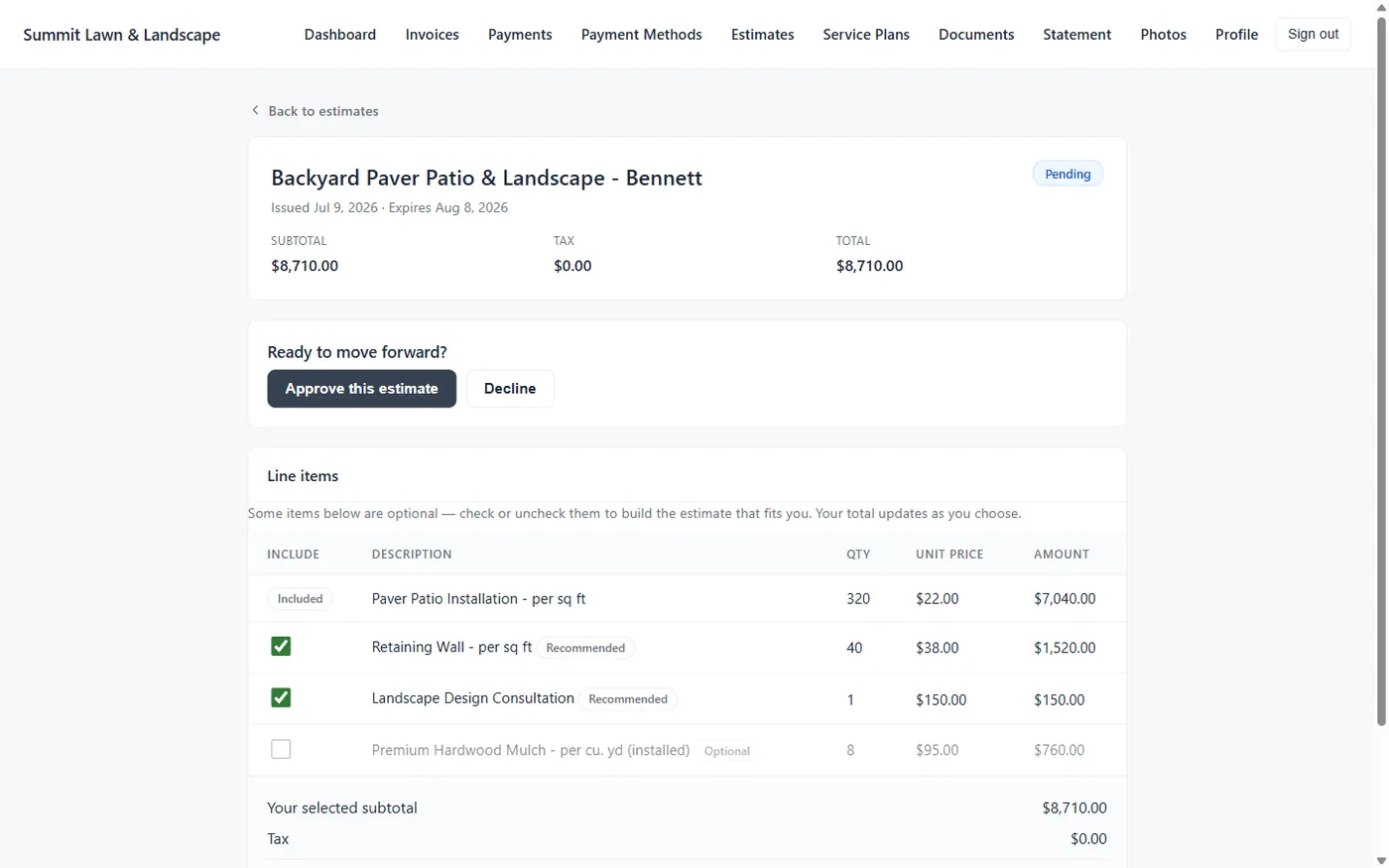
Live today: the branded portal, email-and-password sign-in with self-serve reset, card and ACH payments with optional fee passthrough, partial payments, saved payment methods, estimate approval, statements, and document sharing.
Not yet: end-to-end auto-pay (saved methods exist; automatic charging doesn’t), and customer self-serve rescheduling. We’d rather tell you what’s next than pretend it’s already here.
Works together
The invoices the portal collects, generated per visit, per round, or monthly.
Your public site brings in the lead; the portal serves them once they’re a customer.
Estimate approvals land back on the customer record, timestamped.
Renewal proposals and shared documents live where customers already pay.
Questions
No. The portal is fully white-labeled. Upload your logo and favicon and pick your colors, and every surface uses them. If you brand nothing, it renders neutral, but our name still never appears on it.
Only Stripe’s standard rate. You connect your own Stripe account, and we charge no platform fee on payments. You can optionally pass the processing fee to the customer, with card and ACH handled separately and a live preview of what the customer would pay.
You send an invite with a temporary password. The customer signs in with their email, sets a password of their own on that first login, and from then on it’s a normal email-and-password sign-in, with a self-serve "Forgot password?" reset, so nobody has to call you to get back in. No app to install; it works in any browser.
Yes. Customers can pay the full balance or a partial amount, by credit or debit card or US bank account (ACH), and they can save a payment method to make the next bill quicker.
No. The portal is view-and-pay by design. Customers see only what you’ve shared (invoices, statements, estimates, and documents you’ve flagged) and can’t upload anything. That’s a deliberate security choice.
Yes. Portal access is per-customer. Flip it off on their record and they’re signed out at their next request.
Not yet. Customers can save payment methods, but automatic charging of saved cards isn’t live today. We’d rather tell you what’s next than pretend it’s already here. What’s live: online card and ACH payments, partial payments, saved methods, estimate approval, and document sharing.
Every plan. The portal (with online payments, estimate approval, and document sharing) is included on Starter, Pro, and Scale.
14-day free trial · No credit card required