Chemical tracking & EPA logs
The application work your rounds schedule gets logged into inspector-ready records.
Programs & seasons · Pro
Recurring service that runs on its own calendar and enforces it. Build the 5-round fert plan once; the rounds start, generate visits, and complete on schedule, so a treatment never gets missed. Available on the Pro and Scale plans.
Windowed rounds
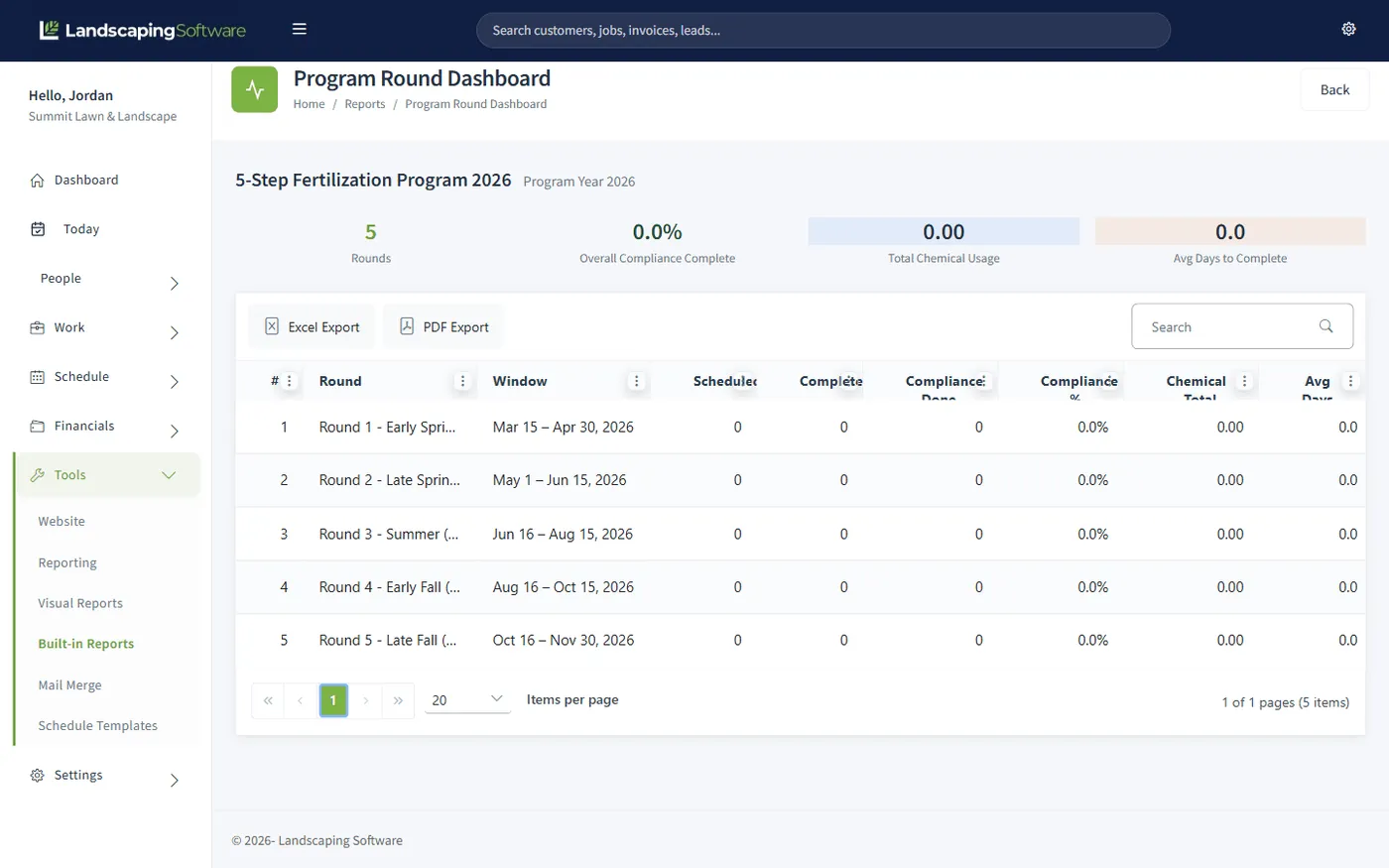
A fertilization plan isn’t "every 6 weeks." Round 2 has to happen between certain dates or the treatment doesn’t work, and a generic recurring schedule doesn’t know that. Here, each round carries a window: visits are generated inside it, the round flips to In Progress when the window opens, and it completes when the work is done or the window closes.
Statuses advance automatically overnight, so the program summary always shows you where every round stands and what’s at risk of falling outside its window, without anyone updating a spreadsheet.
Round 1: Early Spring Pre-emergent
Mar 15 – Apr 15
Round 2: Late Spring Weed Control
May 1 – May 31
Round 3: Summer Feed & Spot Spray
Jun 15 – Jul 15
Round 4: Early Fall Recovery
Aug 25 – Sep 25
Round 5: Late Fall Winterizer
Oct 15 – Nov 15
Round statuses advance automatically overnight as windows open and work completes.
Start from a template or from scratch: name the rounds, set each window, add application notes (soil temps, weather rules).
Every customer on the program is an active job linked to it, so new sales join the program mid-season without disturbing it.
One round or the whole program: visits are placed inside each window for every linked job, ready for the route planner.
When a round completes, generate one invoice per customer for it, or batch a season of rounds together.
From plan to paid
The program is the product: a 5-round fertilization plan, a quarterly pest schedule, a PHC calendar. You build it once, and every customer you sell it to becomes a job linked to it. Visits, windows, and billing all follow from that one structure, which is why operators who run programs stop losing treatments to the calendar.
Seasons
Define "Summer 2026" or "Snow 2026–27" and tie jobs, programs, and visits to it. Activate a season to open it for scheduling, suspend it if work pauses, end it, or let it auto-end when its date passes. The season summary rolls up revenue, visit counts, and job totals, with CSV export for your end-of-year close.
At season change, the Season Planner and Renewal Wizard carry your recurring book into the new year: programs copy forward with every round window shifted, jobs copy with an optional price uplift. Close one year cleanly, open the next in an afternoon.
Works together
The application work your rounds schedule gets logged into inspector-ready records.
Roll programs and jobs into next year with a price uplift, or automate it with contracts.
Bill a completed round in one pass: one invoice per customer.
Generated round visits land on the calendar and route planner like any other work.
Questions
A round is one step of a recurring program, such as "Round 1 – Early Spring Pre-emergent," with its own date window (say, March 15 to April 15). Visits for that round are generated inside its window, and the round’s status advances automatically overnight: In Progress when the window opens, Completed when every visit is done or the window closes.
From the program summary you generate visits for one round or the whole program. Every active job linked to the program gets its visits placed inside each round’s window. The program’s season must be Active for generation to run: that guard keeps next year’s planning from accidentally putting work on this year’s calendar.
No. You can start a program from a template (common program structures with their rounds already filled in), then edit the windows and details to match your market.
When a round completes, you can bill it in one pass: one invoice per customer for that round. You can also batch a season’s worth of rounds together. Generated amounts come from each job’s accepted estimate.
A season, for example "Summer 2026" or "Snow 2026–27," bounds your work to a service year. Jobs and visits tie to it, filtering and renewals stay inside it, and the season summary rolls up revenue, visit counts, and job totals (with CSV export). Seasons can be activated, suspended, or ended, and auto-end when their date passes.
Renewing a program copies it into the new year: same rounds with every window shifted forward (cross-year and leap-day windows adjust automatically), statuses reset, and the year in the name updated. The Renewal Wizard and Season Planner handle the rollover. See Contracts & Renewals.
Programs & rounds and Seasons & the season planner are available on the Pro and Scale plans. Core scheduling and jobs are on every plan, so Starter operators can still run recurring work: programs add the windowed, self-enforcing round lifecycle on top.
14-day free trial · No credit card required